Kompres Gambar ke 20 kb dalam 3 Langkah:
- Impor satu atau beberapa gambar ke dalam aplikasi kompresi.
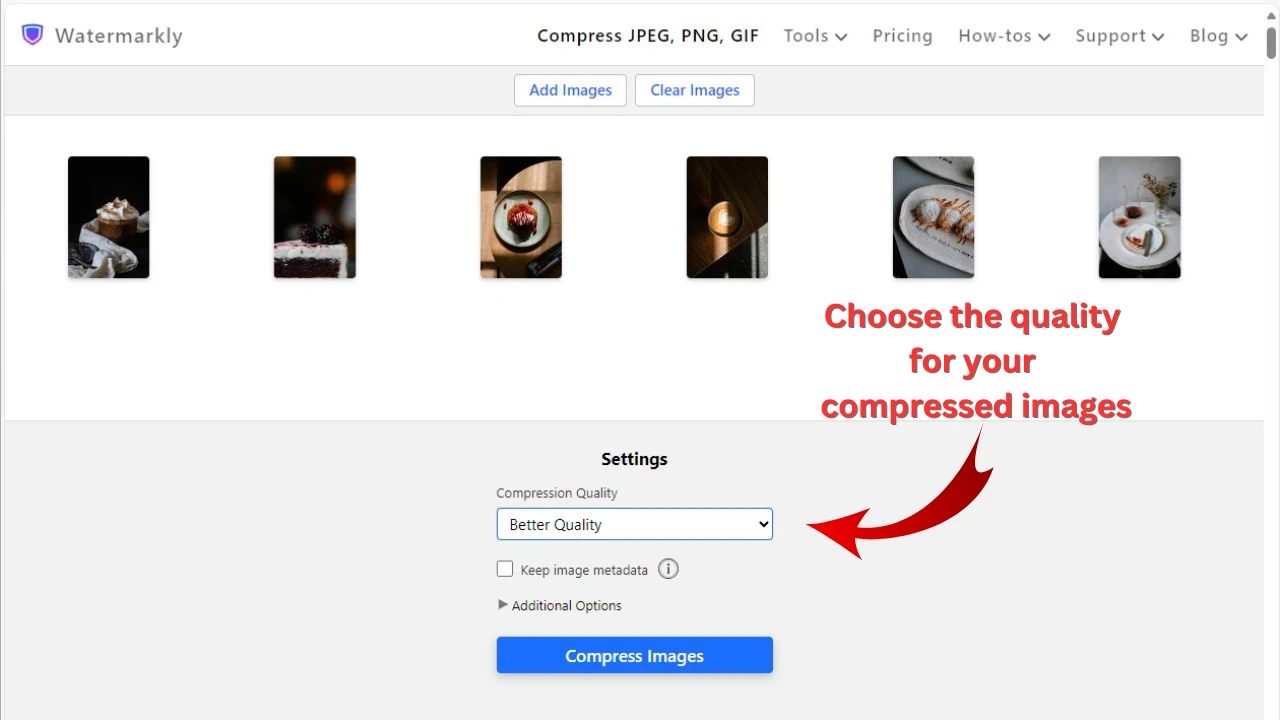
- Pilih opsi "Specific file size", lalu pilih "kb" dan ketik 20 KB ke dalam kotak input.
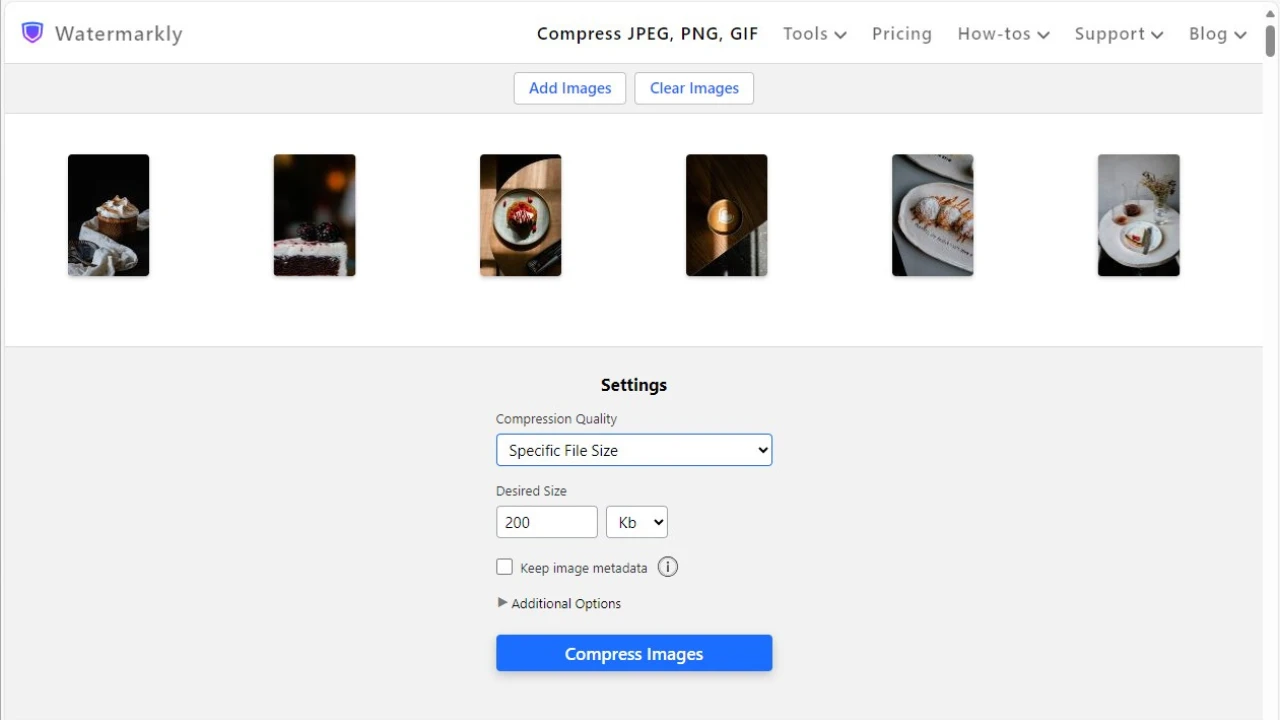
- Mulai proses kompresi dengan mengklik tombol "Compress Images".
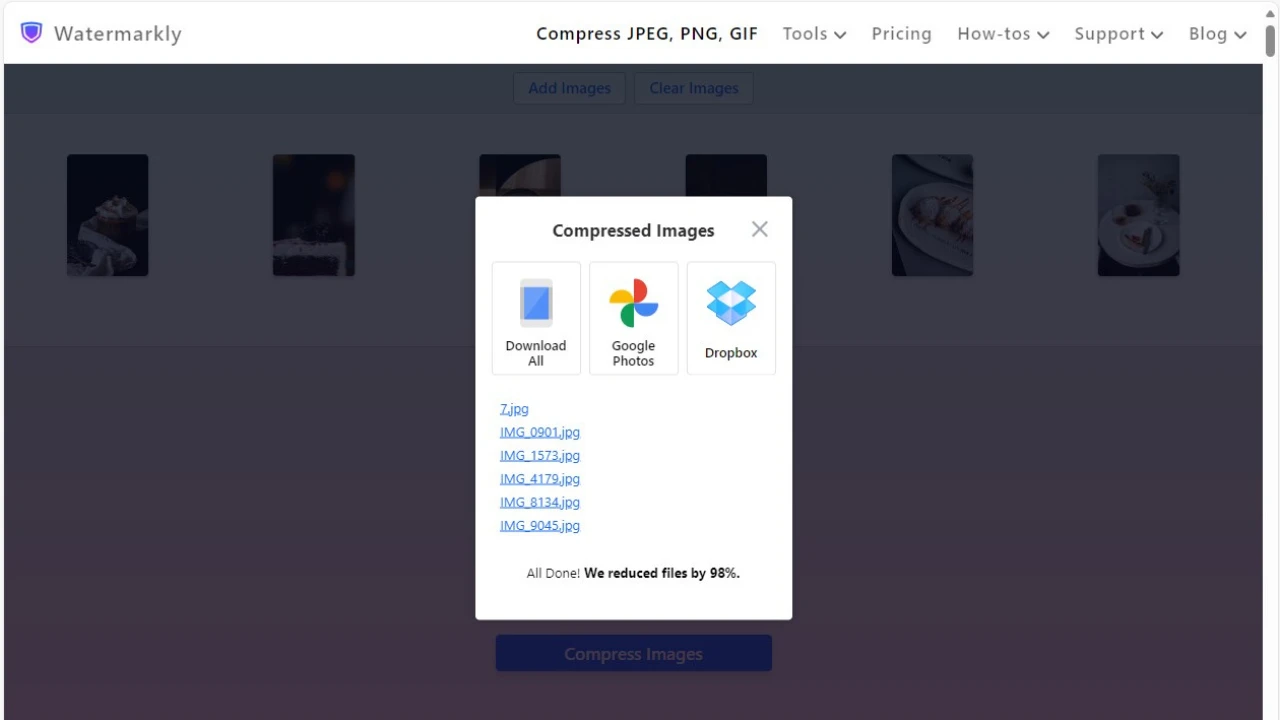
Terakhir, unduh salinan terkompresi Anda langsung ke perangkat Anda atau impor ke Google Photos atau Dropbox.
Kompres Gambar OnlineManfaat Watermarkly:
- Kompresi super cepat dan efisien.
- Mendukung pemrosesan batch, jadi Anda dapat mengompres beberapa gambar.
- Sepenuhnya gratis — tanpa iklan, pop-up atau biaya tambahan.
- Semua format populer – JPEG, PNG, GIF, WEBP, HEIC, dan BMP – didukung.
- File diproses langsung di browser dan tidak pernah diunggah ke server Watermarkly.
- Gambar terkompresi Anda akan memiliki keseimbangan sempurna antara ukuran file kecil dan kualitas gambar yang sangat baik.
- Anda juga akan mendapatkan akses ke aplikasi untuk mengubah ukuran, memotong, mengaburkan, dan menambahkan teks atau watermark ke gambar.