
What Is a Watermark? Types, Uses, and Why It Matters
by  Lina Thorne • Updated · Posted in Watermarking Tips
A watermark is, simply put, a kind of signature or visual mark that you add to an image, video, or document. It was originally used to protect files from theft and unauthorized use, but today it does much more than that. With the rise of social media and online marketplaces, watermarks have also become a smart and practical marketing tool.
For instance, adding your website name, phone number, or Instagram handle to a photo gives potential customers an easy way to reach you. And a creator’s signature immediately makes it clear who the content belongs to.
Even though adding a watermark is now quick and easy, even for beginners, it is still helpful to understand the different types of watermarks and what makes each one useful.
In this article, we’ll take a closer look at the main types of watermarks and how they work.
What Is a Watermark on a Photo?
A photo watermark is usually a line of text or a ready-made logo placed somewhere on the image. It can also include a copyright symbol as part of the design.
If you are a professional photographer, the most important thing to keep in mind is how the watermark looks. It should never ruin the overall feel of the image or distract viewers from the photo itself. That is why watermarks are often made semi-transparent — subtle enough to stay in the background without drawing too much attention. Another option is to choose a style, color, and font that visually match the image, so the watermark feels like a natural part of the overall composition.

There are no strict rules for what a photo watermark should look like. In the end, it all comes down to your personal taste and preferences.
If your main goal is to protect your photo from being copied, the watermark should cover at least one-third of the image — or even the entire photo if possible — and it should be placed over the most detailed area. That makes it much harder to remove.
If you use a watermark for social media posts or to protect product images on online marketplaces, its visual appeal matters less. In this case, the main purpose is simply to show that you are the creator of the photo.
No matter why you use a watermark on your photos, it is a good idea to keep the style consistent. This helps present a more professional image and makes your content easier for your audience to recognize.
What Is a Watermark on a Video?
A video watermark is usually a line of text, a logo, or a single symbol placed over the content. Its main purpose is to protect the video from being copied and redistributed online.
These days, downloading videos from YouTube, Instagram, TikTok, and many other platforms is incredibly easy. Removing a watermark, however, is much more difficult — even with modern AI tools. That is because each frame of a video is treated like a separate image. So even if the watermark stays in the same place throughout the video, removing it can take far more time and effort than removing a watermark from a single photo. Some tools will not even process videos longer than 30 seconds. And when they do remove a watermark, the result often comes with a noticeable loss in image quality.

That is why video watermarks are still highly effective.
A watermark is especially difficult to remove if it is semi-transparent, large, or moving, or if it covers a face, text, or other important details throughout the video.
It is also worth noting that some platforms allow you to add a watermark directly inside the app for free. YouTube, for example, offers this option. However, there are a couple of important limitations. First, the main purpose of this type of watermark is to help viewers quickly visit your channel and subscribe. Its size is strictly limited, and it appears only in the bottom-right corner. Second, this kind of watermark does not actually protect your video from downloading or copying, because it is visible only when the video is watched on YouTube. Once the video is downloaded, the watermark is no longer there.
So, if your goal is to protect a video from being copied, it is better to use a dedicated online video watermarking tool that allows you to add a watermark directly to the video itself.
What Is a Watermark on a Document?
A document watermark is most often one or two words that communicate the document’s status, such as “Confidential” or “Draft,” or tell the recipient how the file should be handled, such as “For Review” or “Urgent.” It may also include a company logo or business name, especially in corporate documents.

One of the main advantages of this type of watermark is that it can be added very easily while working in Microsoft Word or Excel, since both programs already include built-in tools for this purpose. Here are step-by-step instructions:
Unfortunately, this kind of watermark can also be removed quite easily later on. All someone has to do is open the Word or Excel file and edit it as they wish. That is why, if you want to strengthen document protection, the best option is to prevent further editing by converting the file to PDF and adding the watermark to the PDF instead.
When using an online PDF watermarking tool, there are a few useful things to keep in mind:
- You can place the watermark behind the PDF content.
- You can add the same watermark to every page or change its position and appearance from page to page.
- You can choose a specific page range for watermarking.
- You can also sign a document by adding your signature as an image and using it as a watermark.
What Is a Logo Watermark?
A logo watermark is a watermark that uses your company logo instead of plain text.

If you already have a finished logo, you can simply upload it to a watermark editor as an image. Some watermarking tools only accept logos in PNG format with a transparent background, while others are more flexible. For example, Add Logo to Photo tool from Visual Watermark allows you to remove the background, adjust the colors, and add effects to your logo regardless of the original file format.
If you do not have a ready-made logo but like the idea of combining a symbol with stylized text, you can create one from scratch directly in a watermark editor using a built-in icon library and font collection. In most cases, there are no strict limits on the number of elements you can include in a watermark.
A logo watermark can be used to protect your files from unauthorized downloading and reuse. In that case, it is often best to place it several times across a photo, video, or document and lower its opacity.
It can also be used to strengthen brand recognition and create a consistent visual identity. In that case, your photos, videos, and documents all carry the same watermark in the form of your logo.
What Is a Tiled Watermark?
A tiled watermark is a repeated watermark placed multiple times across an image, video, or document.
You can easily spot this type of watermark on stock photo websites. Another common example is the preview files that photographers send to clients before delivering the final edited versions. Since these images are not the finished product, a tiled watermark makes it much harder to print, copy, or use them in any other way without paying.

Tiled watermarks can be arranged vertically, diagonally, or in a repeating pattern across the entire file. Most watermark editors allow you to adjust the size of each element as well as the spacing between them. In this case, the watermark should usually be transparent. Otherwise, it may end up covering the original file completely.
What Is an Unremovable Watermark?
An unremovable watermark is a visible watermark designed to be much harder to remove automatically. Unlike a traditional watermark, this type does not behave like a simple overlay placed on top of the image. Instead, it is embedded more deeply into the content and made more complex in structure. This makes it more resistant to AI watermark removal tools.
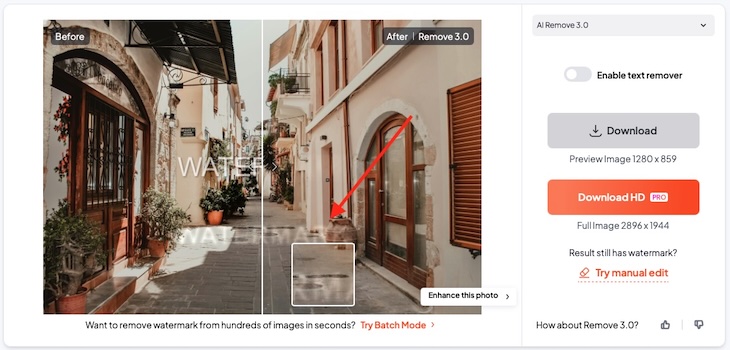
Unfortunately, there is currently no watermark that can guarantee complete protection from removal. However, there are technologies that can make the process significantly more difficult. We explain them in more detail here:
Protection Against Watermark Removal
What Is the Purpose of a Watermark?
A watermark can serve several purposes, depending on the type of content you create and the way you use it. For some people, it is mainly a way to protect their work. For others, it is a simple way to show authorship or make their brand more recognizable. In many cases, a watermark does all of these things at once.
There is no universal answer to whether you should watermark your files. It really depends on what matters more to you.
A watermark can be a smart choice if you want to promote your brand, company, or blog. Once you share photos or videos online, you cannot fully control where they end up. They may be reposted without credit or shared without any link back to you.
A watermark helps people recognize your content and makes it easier for potential clients to find you.
It can also help discourage unauthorized use. Even something as simple as your name, website address, or a copyright symbol can show that the content belongs to you and give others a way to contact you for permission.
At the same time, watermarks are not always the perfect solution. They do not guarantee full protection, since they can still be removed with different tools. They can also distract from the image itself, especially if your goal is to keep your visuals as clean and polished as possible. For that reason, some creators choose not to watermark their website images and focus instead on presentation.
Conclusion
A watermark is much more than just a visual mark placed on top of a file. As you can see, it can serve different purposes depending on the type of content and the way you use it.
Not all watermarks work in the same way. Some are designed to be subtle and visually appealing, while others are meant to make copying and removal more difficult. The right choice depends on your goals, the type of file you are working with, and how important protection, presentation, or branding is to you.
So, what is a watermark? In simple terms, it is a practical tool that helps you add ownership, identity, and an extra layer of protection to your content.