Are you fond of photography? Why not make it an additional source of income and earn while you enjoy your hobby? However, there are many famous photographers today, and the competition is very tough. So how can you keep up with these already well-known photographers? The answer? You need to have a good marketing plan. A marketing plan outlines your strategies to advertise, promote, and sell your service or products. Following this plan is important to reach your goals and continuously improve your marketing skills. So, how to make a successful photography marketing plan?
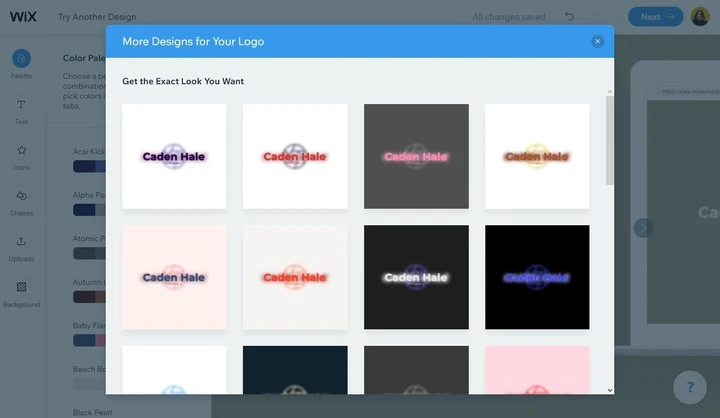
If you want to start a business, one of the first things you’ll need to do is come up with a name and a logo. Logos are the kings of marketing because they are crucial for brand awareness. Since you are a photographer, you probably have some editing skills, but not enough to create a memorable and original logo that’s going to encapsulate what your brand is about. You can start without it, of course, but you want to stand out and look professional. So, what do you do? The ideal solution is to work with an agency or hire a freelance designer. However, if photography has been merely a hobby of yours and you’ve just decided to look for clients, you probably won’t have the budget for it. Instead, you can use logo makers! Let’s dive into the list of the best online logo makers.
To make browsing faster, browsers save copies of website data as a set of files, which is commonly known as the cache. It might have gone unnoticed by you, but when you visit a website you’ve been on before, it always loads quicker than it did during your first visit. This happens because your browser stores a copy of the website in its cache. As you can imagine, this is useful for speeding up the loading process, but unfortunately, it can sometimes prevent you from seeing the updated version of the page. For example, when we fix a bug in Watermarkly, we roll out a new version of the app. But you won’t be able to use it right away. You’ll have to wait for about 24 hours for the update to get stored in your cache. Fortunately, there is an alternative, if you want to try out the new version now. You will need to do a hard refresh. A hard refresh clears your cache for a specific webpage, not for an entire website. This way, your browser is forced to throw away the outdated version and load the most recent one. Don’t worry! Performing a hard refresh isn’t difficult and takes less than a minute. Here are the instructions on how to do a hard refresh in the most popular browsers.
An array of different things may lead to Watermarkly not working properly, and figuring out which one is the source of the issue in your case can be challenging. The variety of browsers and a ton of available plugins make this task even more difficult. The developer console in your browser can be of great help to us to determine what exactly is causing the problem, so we can then fix it. It logs all the information about the backend operations of our app. This information is a real lifesaver when it comes to troubleshooting. If you are experiencing a problem with Watermarkly and have already contacted our support, you may be asked to send a screenshot of your Console in the Developer Tools. Here is how you can open it.

 Lina Thorne • Updated · Posted in Photography Tips , Marketing