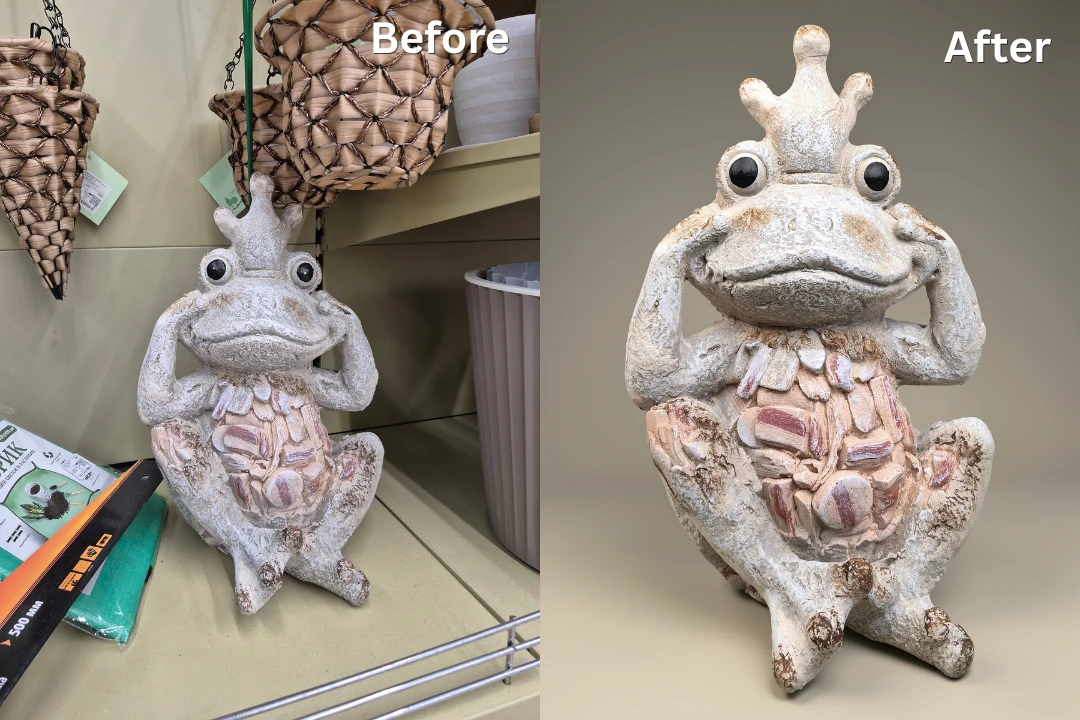
10 Easy and Effective Ways to Enhance Images
by  Lina Thorne • Updated · Posted in Photo Editing
Sometimes photos don’t come out exactly as you imagined. Perhaps the lighting is far from perfect, the colors look washed out, or the background is too cluttered. Maybe the image is too small for printing or sharing. Luckily, modern image editors offer countless ways to enhance your photos.
Traditional editing tools like cropping, adjusting brightness, or fine-tuning colors remain just as useful as ever. At the same time, artificial intelligence has transformed image editing. Tasks that once required advanced editing skills can now be completed in just a few clicks.
With AI-powered tools, you can enlarge low-resolution images, remove distracting objects, sharpen blurry details, and even colorize old black-and-white pictures without spending much time or effort.
In this guide, you’ll learn about some of the easiest and most effective ways to enhance images using both traditional editing methods and the latest AI-powered tools.
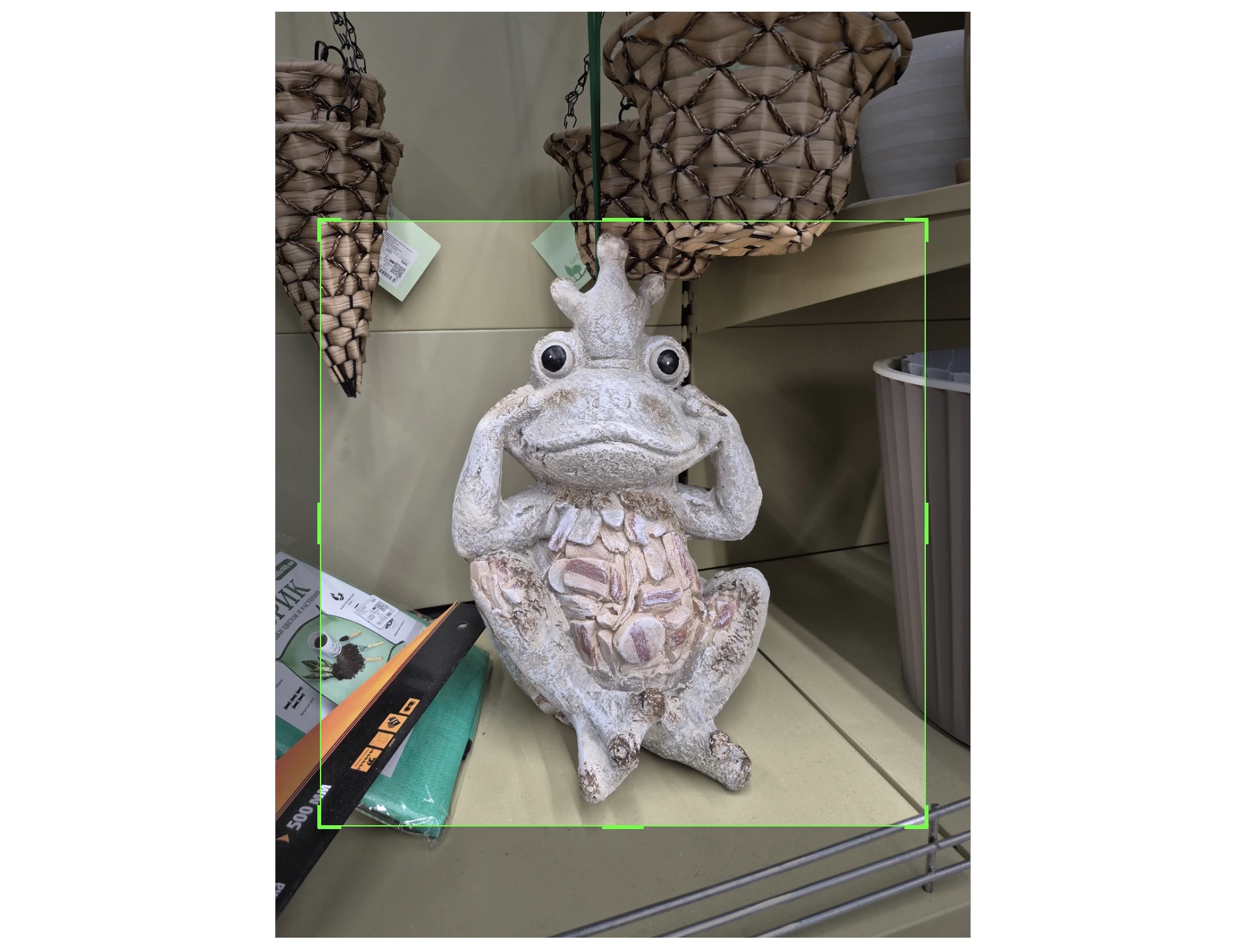
1. Crop for Better Composition
Cropping is the simplest yet most powerful tool in any editor’s arsenal. With its help, you can eliminate distractions, focus all the attention on the main subject, and create a more balanced composition. Good cropping can actually salvage an otherwise cluttered or poorly framed shot.
It’s important to keep these tips in mind, though:
- Leave some space around your subject instead of cropping too tightly.
- Use the rule of thirds to create a more visually appealing composition.
- Remove distracting objects near the edges of the frame.
- A tilted horizon can ruin your image, so remember to straighten it.
- Choose an aspect ratio that works best for your intended use – e.g., posting an image on Instagram tends to require a different aspect ratio than printing a photo.
Cropping an image even slightly can sometimes improve its overall look quite significantly. Try the free photo cropper to see for yourself.
2. Adjust Brightness and Contrast
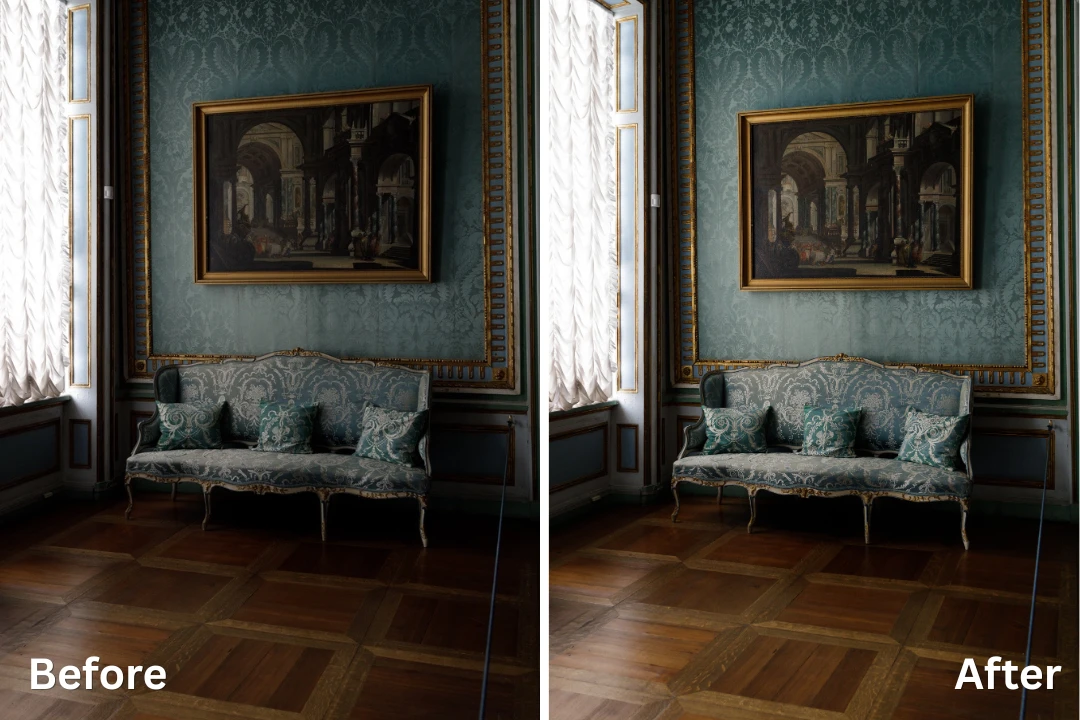
Getting the exposure right while you’re shooting is crucial. But if your photo came out too dark, too bright, or slightly flat, there’s a way to fix it.
In an image editor, brightness allows you to change the overall lightness of your image. For instance, increasing brightness can recover underexposed images. Contrast, on the other hand, determines the difference between the darkest and brightest areas. If a shot looks flat or washed out, increasing contrast can add punch. Conversely, lowering contrast can create a softer, dreamier look.
Moderation is key. Small adjustments often produce the most natural-looking results.
Another thing to keep in mind here is that you won’t be able to make any drastic changes to brightness if you’re working with JPEGs – they don’t have enough digital information. In other words, you will be able to fix an overly underexposed image only if it’s in RAW format.
3. Fine-Tune Colors
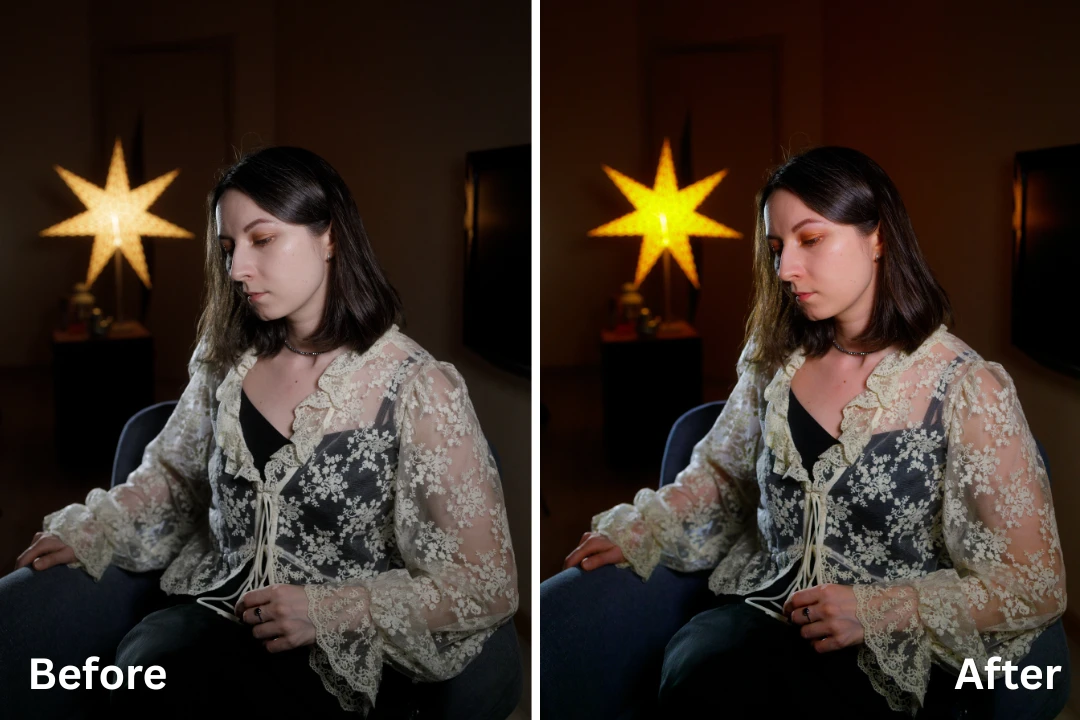
Colors can make or break a photo. Hence, making some adjustments to them is an effective way to enhance an image.
Saturation boosts the intensity of all colors equally, but it’s easy to go overboard and make your image look very artificial.
A smarter approach is to use the vibrance slider, which increases saturation only for the less vivid colors while protecting skin tones from becoming overly orange or red. As with most edits, subtle changes usually produce the most pleasing results.
You can also adjust white balance to correct unwanted color casts. However, similarly to fixing the exposure, it’s possible to make drastic changes to white balance only if you’re working with a RAW image.
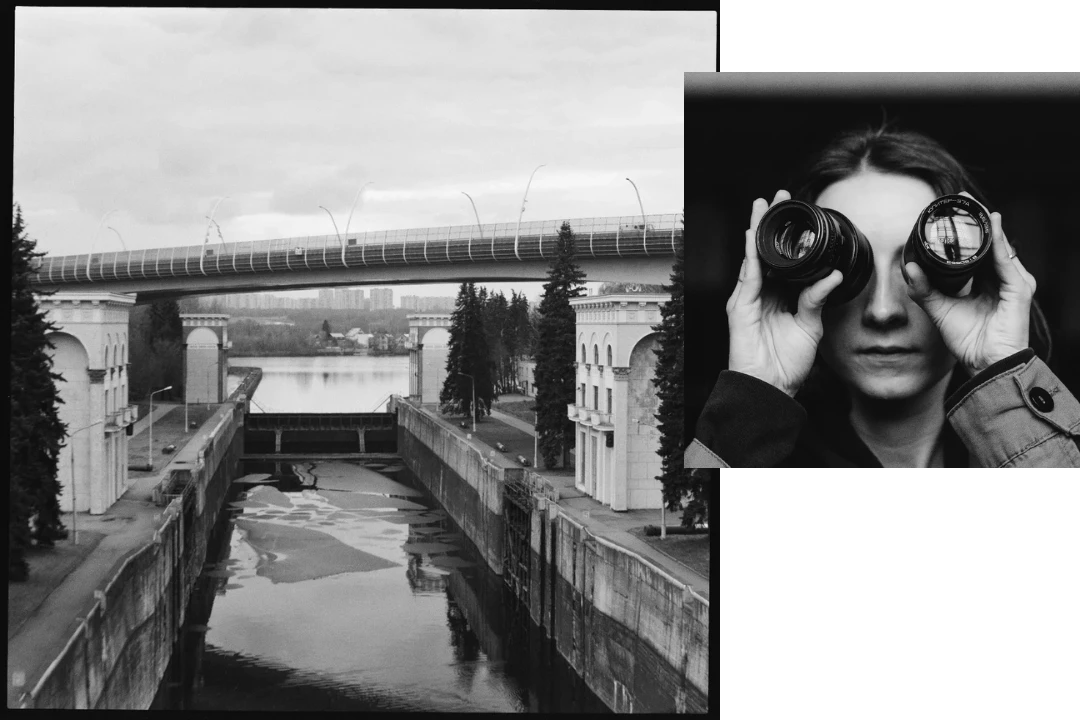
4. Convert Images to Black and White
In some cases, the most powerful transformation is removing color altogether. Converting an image to black and white works especially well for portraits, architecture, and dramatic landscapes. In other words, try this technique for images with strong contrast, interesting textures, or shapes.
Converting to black and white can actually be quite useful when enhancing a photo taken in tricky lighting conditions. For instance, you took a photo in low light and now it’s too noisy, and the colors look muddy. Converting it to black and white might help you save it.
If your black-and-white conversion doesn’t look right at first, experiment with brightness and contrast to add depth and emphasize important details. Many editing apps also allow you to adjust how individual colors translate into shades of gray, giving you even more control over the final result.
5. Sharpen Important Details
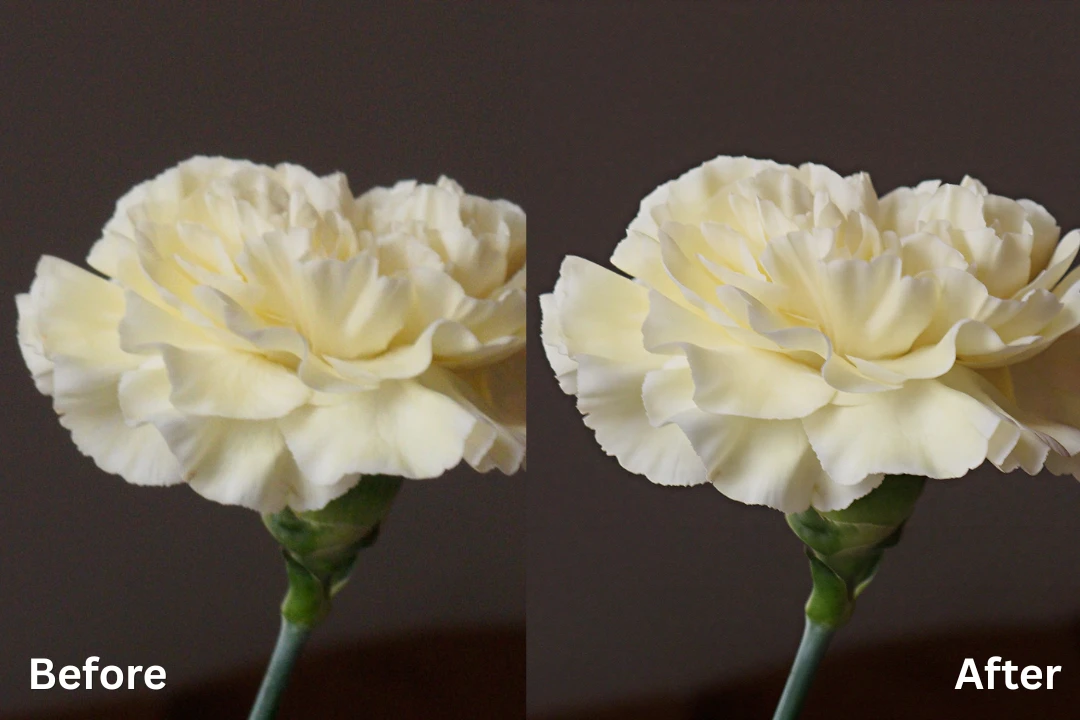
Sharpening enhances the definition of edges, making your photo appear crisper and more detailed. It can emphasize fascinating textures, too. This is particularly useful for portraits, wildlife, product photography, and landscapes.
Luckily, you’ll find a sharpening tool with the ability to control its intensity in most image editors. For example, in WowEnhance you can do this in just one click. Be cautious, though. Too much sharpening can introduce harsh halos or exaggerate noise, especially in low-light shots. A light touch is usually all you need to bring out the fine details that make your image pop.
6. Reduce Digital Noise
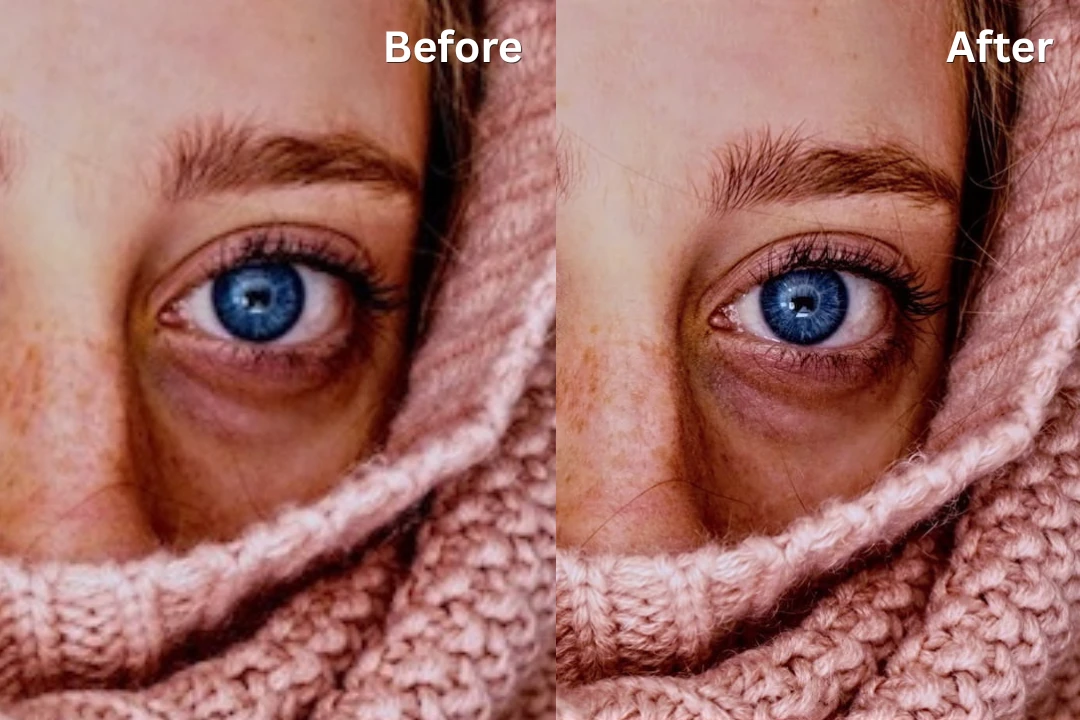
Photos taken in low light with high ISO often contain grainy speckles, also known as digital noise.
Traditional noise reduction often blurs the image to hide the grain, but modern image editors offer a much better solution. AI-powered denoising tools can distinguish between noise and actual detail, removing the grain while preserving textures like hair, fabric, and foliage. This allows you to salvage images that would have been unusable just a few years ago.
7. Upscale Low-Resolution Images with AI
Have you ever tried to enlarge a small-sized photo only to end up with a blurry, pixelated mess? In the past, it was a real challenge. Fortunately, things have changed!
Now, there are AI-powered image upscalers that can enlarge images by 2x,3x, and more without any quality loss. Modern super-resolution algorithms analyze the image, recognize patterns, and generate entirely new pixels to create a larger, sharper version. The overall quality will be maintained and, in some cases, even improved.
This can be incredibly useful if you need to print small photos, crop an image significantly yet maintain its quality, or simply enlarge old low-res photos.
8. Add Text, Frames, and Graphics
In some cases, you might want to add something extra to your photo. Adding a word, a phrase, or even a decorative frame can turn a simple image into a piece of visual storytelling.
A frame can help an image stand out on a crowded social media feed or give it a polished look. Text on image can provide context and help communicate your message more effectively. For example, more and more people post carousels with text on Instagram – it’s an effective way to tell a story or market your services. Moreover, adding your brand logo as a watermark can be very useful for protecting your images as well as promoting your brand.
Just remember: these elements should enhance the image, not overwhelm it. Less is often more.
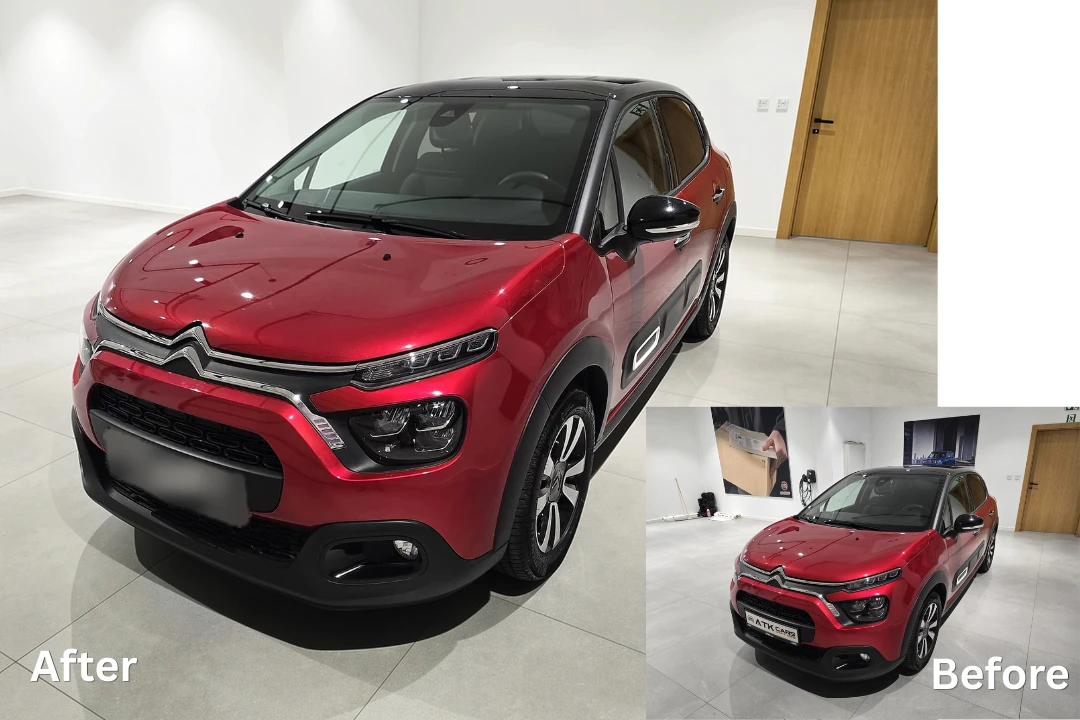
9. Remove Unwanted Objects
Sometimes a beautiful photo is spoiled by a distracting element – a passerby, a power line, or a stray piece of trash.
Modern AI tools make object removal astonishingly simple. Using generative fill technology, you can select an unwanted element, and the AI will intelligently fill the gap with believable background details, while matching textures, lighting, and patterns. This goes far beyond the old clone stamp tool! In fact, it can produce results that are often indistinguishable from the original scene.
10. Retouch Portraits with AI
Portrait retouching has been revolutionized by AI. There’s no need to painstakingly erase one blemish after another by hand anymore! Instead, you can use AI-powered tools that subtly enhance a person’s appearance in just a few clicks.
These tools can improve skin tones, remove blemishes, shine, and other flaws, make skin smoother, brighten eyes, and whiten teeth. Moreover, AI retouching is perfect for dealing with flyaway hair.
The best part is that they apply these changes with remarkable precision, avoiding the overly airbrushed “plastic” look that plagued earlier retouching techniques.
Conclusion
Classic editing techniques such as cropping, correcting exposure, and refining colors continue to play an important role. Meanwhile, modern AI tools have opened up entirely new possibilities. Today, you can repair damaged photographs, increase image resolution, remove unwanted objects, reduce noise, and improve overall image quality in just a few clicks.
That said, enhancing images is both an art and a science. The goal isn’t to apply every available effect or completely transform a photo. The best edits are often the ones that look natural and help your subject stand out without drawing attention to the editing itself. A thoughtful combination of traditional editing techniques and AI-powered features can help you create cleaner, sharper, and more visually appealing images while preserving the original mood of the photo.